AI quiz generator with answer keys and automatic grading
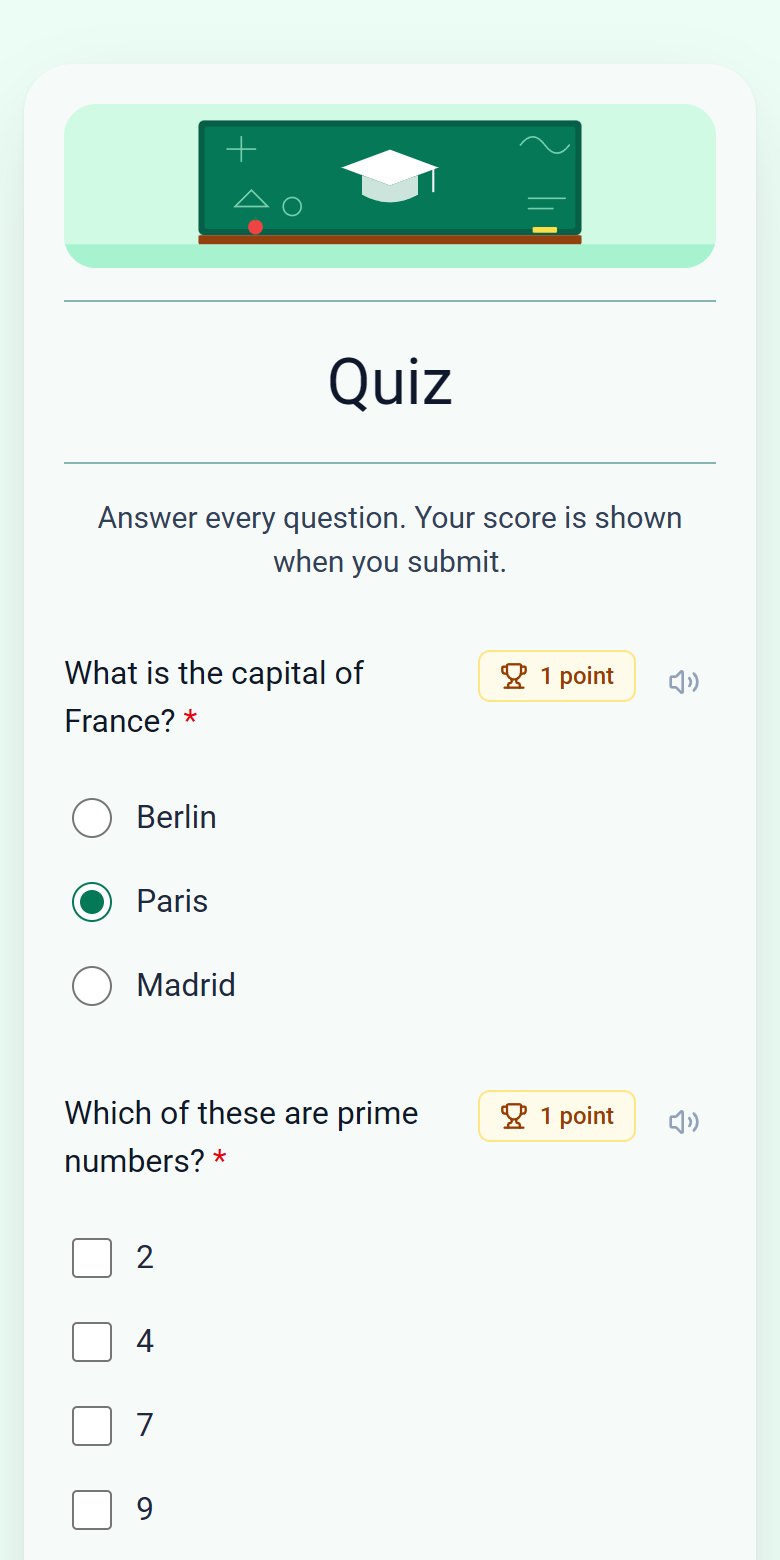
Describe the topic and level, and ezForms writes a quiz with options, correct answers and points. Students get their score right after submitting, and you get every result in a table.
Free. Sign in with Google. No card.
How it works
- 1
Describe your form
Write a sentence or two, paste a job description or event brief, or speak it with the microphone.
- 2
Press generate
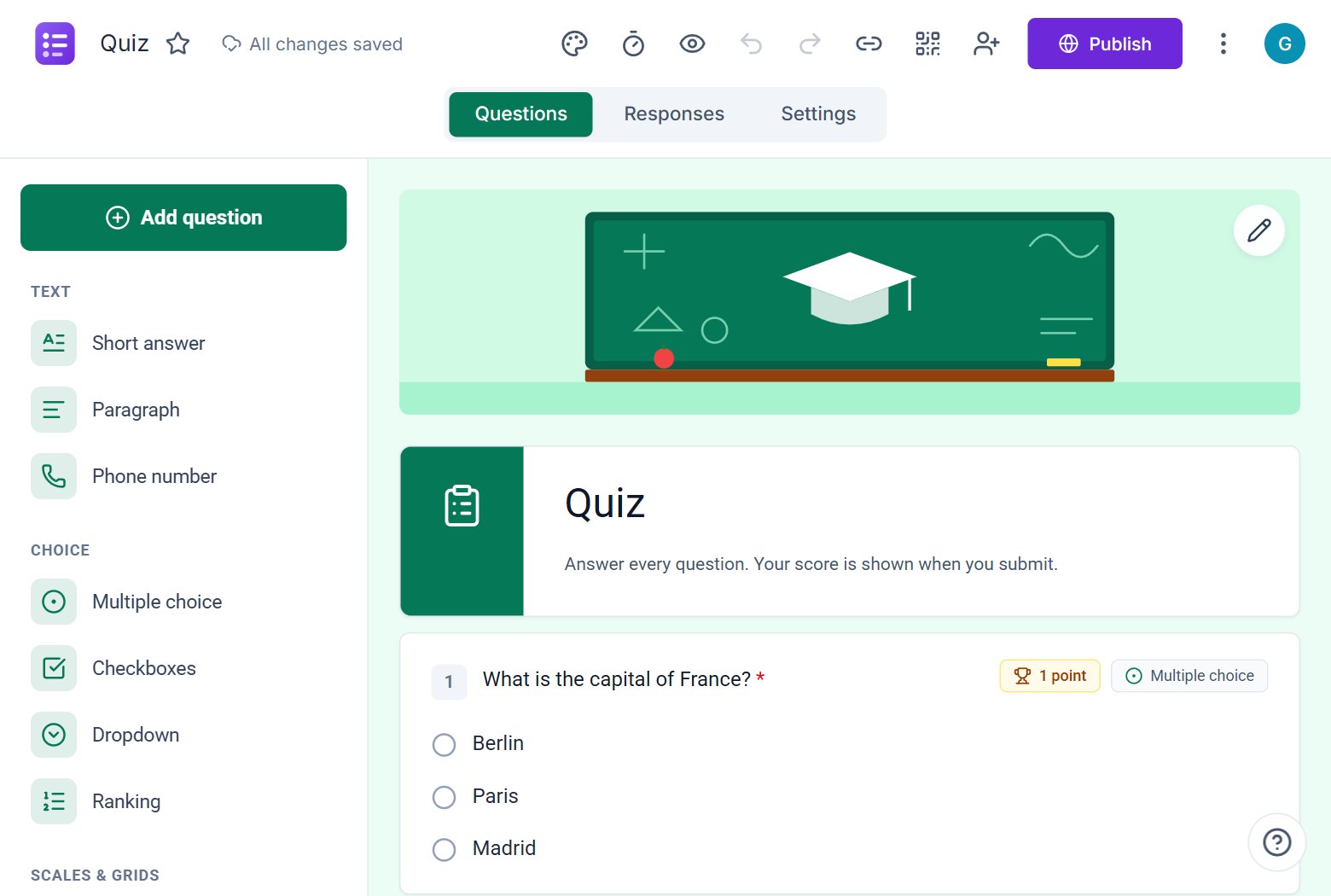
The AI writes the questions, answer options and settings, and the form opens in the editor.
- 3
Edit, publish, share
Change anything by hand or by chat, press Publish, then share the link or QR code.
Try these prompts
Copy one into Create with AI, or write your own.
- “A 10-question multiple choice quiz on photosynthesis for grade 8 with a 15 minute time limit.”
- “A programming fundamentals test with five multiple choice and three short-answer questions.”
- “A product knowledge quiz for new retail staff with a pass mark.”
What you get
Answer keys included
Correct answers and points are filled in for every question, and you can change them any time.
Timer on the server
A time limit that cannot be reset by refreshing the page. When time is up, answers are submitted automatically.
Instant results
Show the score, the missed questions and the correct answers straight after submission, or release grades later.
Less cheating
Shuffle questions and options, allow one attempt per person and require a verified email.
Made for teachers and trainers
Use it for classroom quizzes, exit tickets, assessments, training checks and certification practice. Feedback can be added to each question.
Review every response
See the total score and per-question results for each person, and export everything to a spreadsheet.
Free
ezForms is free: no plans, no upgrade prompts and no limits on forms or responses.
Start from a template
Collect attendee details, preferences, and more.
Gather valuable feedback to improve your service.
Create quizzes with auto-scoring and instant results.
Collect applications, resumes, and candidate details.
Take product or service orders with ease.
Run surveys to collect opinions, insights, and data.
Frequently asked questions
Does the AI add the correct answers?
Yes. For multiple choice and short-answer questions it sets the correct answers and gives each question points.
Can I set a time limit?
Yes. Mention it in your request, for example "15 minute time limit", or set it in the editor.
Is the quiz graded automatically?
Yes. Scores are calculated from the answer keys the moment someone submits.
More from ezForms
- Online quiz makerMake an online quiz free: points, answer keys, feedback, shuffled questions, a server timer and instant scores. Let AI write it, or build it yourself.
- AI form generatorDescribe the form you need and the ezForms AI form generator writes every question, answer option and setting in seconds. Free, no card, share with a link.
- AI survey generatorCreate a survey with the free ezForms AI survey generator. It writes balanced questions, rating scales, NPS and open comments, then shows results in live charts.
- Generate a form with AIGenerate a form with AI: describe it, press Generate, and ezForms writes the questions, options and settings. Edit by hand or chat, then share the link.
Free · Beta
Create your form in under a minute
Describe it, let the AI write it, and share the link. Free, always.
- No card needed
- Sign in with Google
- Unlimited forms and responses